
FAB Balance Check 2026: Every Official Method, Step by Step
We often face salary delays or incorrect balance figures and end up trying random methods incorrectly. A lot of people in the UAE search for FAB balance check options not because they do not know their bank exists. They are not sure which method is fastest, which one works without an internet connection, or why their salary is showing a different number than expected.
Workers on Ratibi cards have a completely different process than people with regular FAB accounts. Credit card holders need to check two separate figures. Expats abroad need to know if the app works from outside the UAE.
In this guide, we will cover every official method to check your FAB bank balance in 2026. Step by step, with honest information about fees, limitations, and exactly what to do when something goes wrong.
What Is a FAB Balance Check
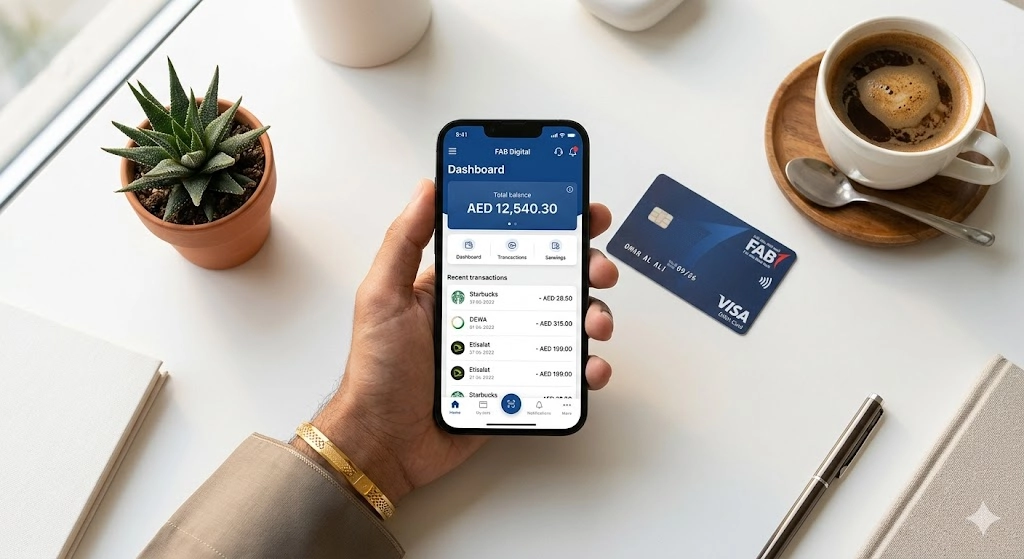
Before getting into methods, it helps to understand that “FAB balance check” means different things depending on which product you actually hold. The steps for a Ratibi salary card are completely different from the steps for a regular FAB savings account. Mixing them up wastes time.
Salary Account vs Prepaid Card vs Credit Card
Salary account holders
have a full FAB bank account. They can use the mobile app, online banking, ATMs, SMS banking, or phone banking to check their balance. All methods are available to them.
Ratibi card holders
Credit card holders
need to check two figures: available credit (how much they can still spend) and outstanding balance (what they currently owe). These appear separately in the app and online banking. An ATM will show these too when the credit card is inserted.
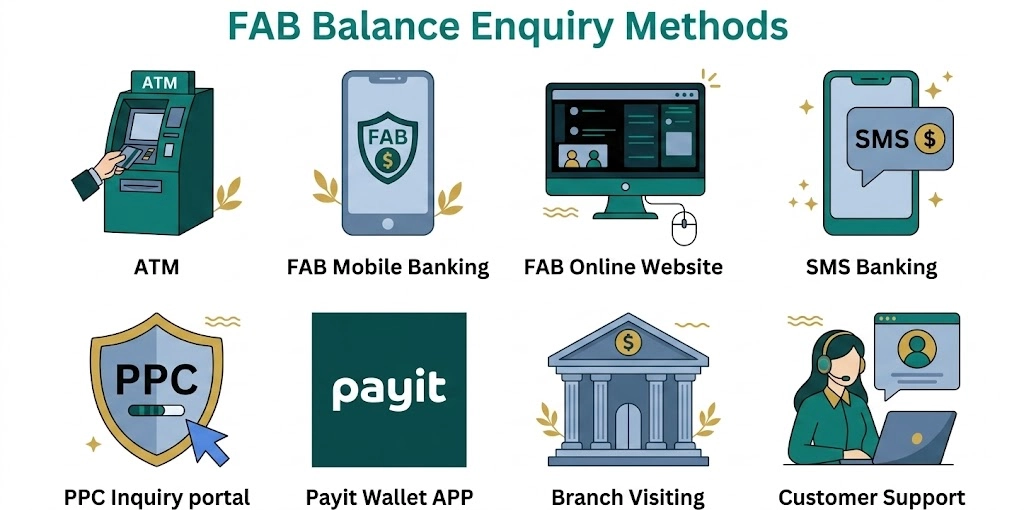
All 10 Official FAB Balance Check Methods
Method | Speed | Internet Needed | Best For | Cost |
FAB Mobile App | Instant (under 10 sec) | Yes | Daily checks, all account types | Free |
FAB Online Banking | Fast (under 30 sec) | Yes | Desktop users, statement downloads | Free |
FAB ATM | Instant (under 30 sec) | No | Offline access, printed receipts | Free at FAB ATMs; AED 1–2 at others |
SMS Banking | 30–60 seconds | No (signal needed) | Basic phones, no internet | Standard SMS rates apply |
Phone Banking IVR | 2–5 minutes | No | Non-tech users, no smartphone | Free (local call rates) |
Payit App | Instant | Yes | Ratibi card and prepaid users | Free |
PPC Magnati Portal | Instant | Yes | Ratibi and prepaid card holders | Free |
POS Terminal | 2 minutes | No | Quick check during a purchase | May vary by merchant |
FAB Branch | 15–30 minutes | No | Face-to-face help, complex issues | Free |
AI Virtual Agent | 2–3 minutes | No (phone call) | Guided balance by voice | Free (local call rates) |
FAB Online Banking Balance Check
If you are on a laptop or desktop, or if you need to download a FAB bank statement, the online banking portal gives you more screen space and better document access than the app.
How to Log In to FAB Online Banking
- Open any browser and go to the FAB website
- Click “Login” at the top right corner
- Select “Personal Online Banking (UAE)”
- Enter your username and password
- Enter the OTP sent to your registered mobile number
- You are now on the dashboard
If you have not registered yet, click “Register” on the login page and follow the steps using your Emirates ID and card details.
How to Check Balance on the Online Portal
- Your main account balance appears on the dashboard as soon as you log in
- Click “Accounts” in the main menu to see all linked accounts
- Select any account to see available balance, ledger balance, and full transaction history
- You can filter transactions by date range, amount, or type
- Download e-statements in PDF format directly from this screen
When to Use Online Banking Instead of the App
The app is faster for a quick balance check. But use online banking when you need to download a 3-month or 6-month bank statement, generate an official account certificate, manage multiple beneficiaries, or when your phone is not available. Visa applications, loan approvals, and rental agreements usually require a PDF statement, which is easier to download and save from a laptop.
FAB Mobile App Balance Check
In my opinion, for most people with a regular FAB account, the app is the fastest and easiest option. Balance appears on the home screen of the FAB mobile app the moment you log in. No menus to navigate.
How to Register and Set Up the FAB Mobile App
- Download the FAB Mobile app from Google Play Store or Apple App Store
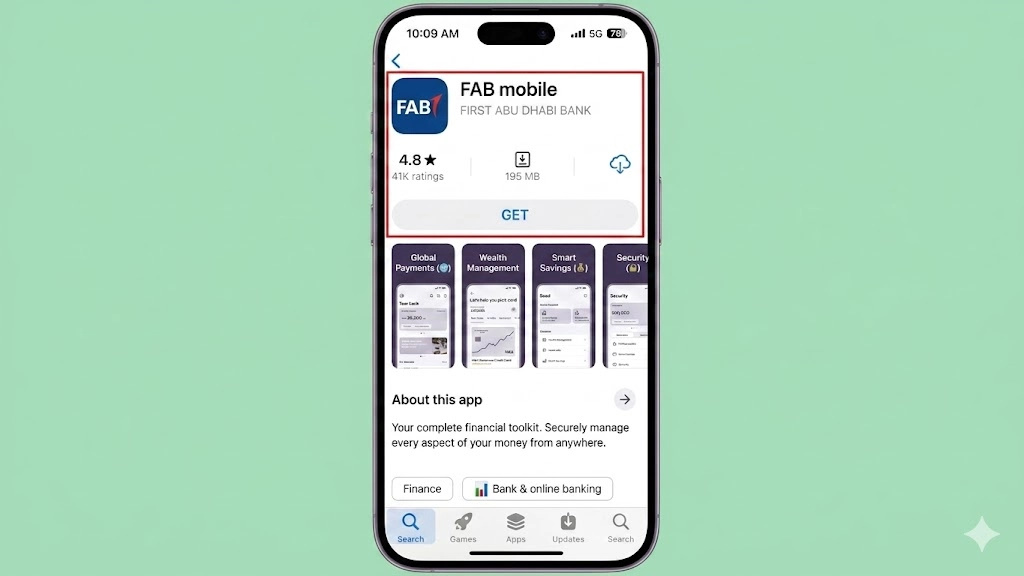
- Open the app and tap on “Register.”
- Enter your 16-digit FAB debit card number or your FAB Customer ID. Press continue
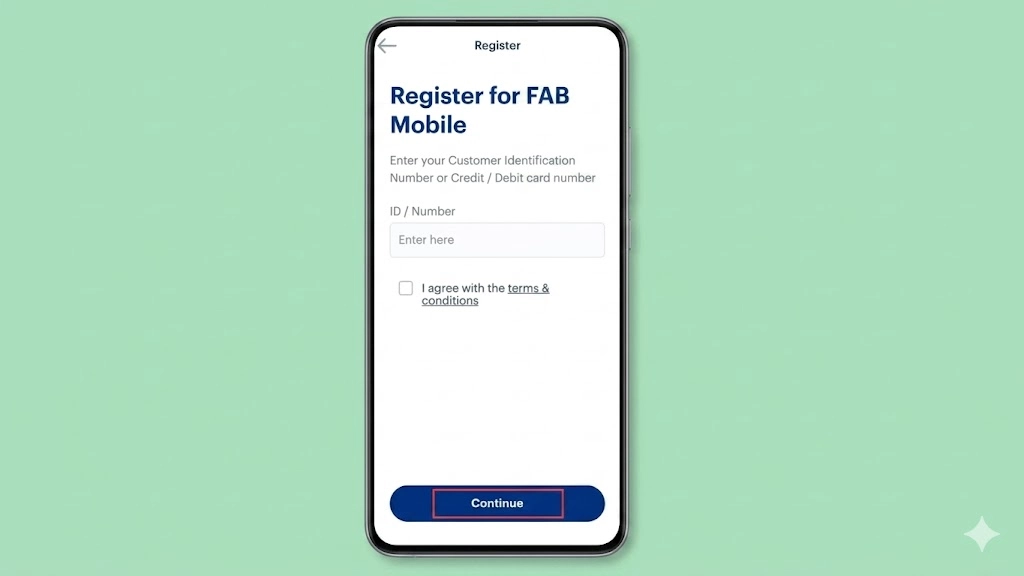
- Enter the OTP sent to your registered UAE mobile number
- Scan your Emirates ID using your phone camera
- Complete face verification by following the on-screen prompts
- Create a 6-digit PIN for future logins
- Enable biometric login (Face ID or fingerprint) if your phone supports it
Your registered mobile number must be the same one you gave FAB when opening your account. If the number changed, visit a branch to update it before trying to register.
How to Check Your Balance on the App
- Open the app and log in with your PIN or biometric
- Your main account balance shows on the home screen automatically
- Tap “Accounts” to see individual balances for each account you hold
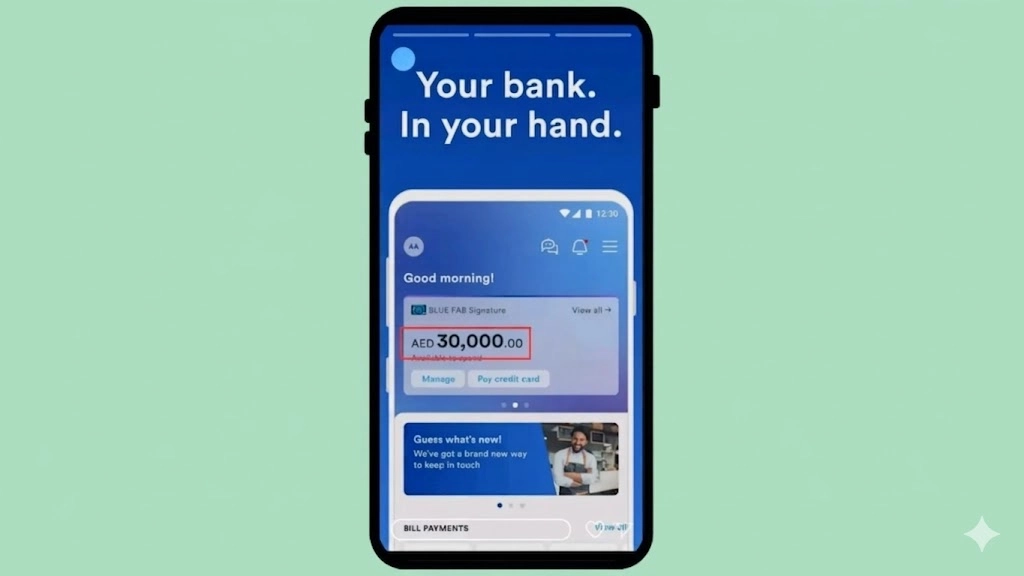
- Each account shows both available balance and total balance separately
- Tap any account to see recent transactions
The home screen in the 2026 version of the app also shows a Spending Insights section. This tells you where your money went by category. Useful if you are trying to track your monthly expenses without opening a spreadsheet.
What to Do When the App Shows Wrong or Outdated Balance
The balance looks wrong. Before calling FAB, try these steps in order:
- Log out of the app completely and log back in
- Clear the app cache in your phone settings (Settings → Apps → FAB Mobile → Storage → Clear Cache)
- Check if the app needs an update in the App Store or Play Store
- Restart your phone
- If the issue is after a recent transaction, wait up to 24 hours for it to settle.
- FAB runs server maintenance on Friday nights (UAE time). Check FAB’s official social channels for announcements if the app is completely unresponsive.
If none of this works after 24 hours, call the helpline.
FAB ATM Balance Check
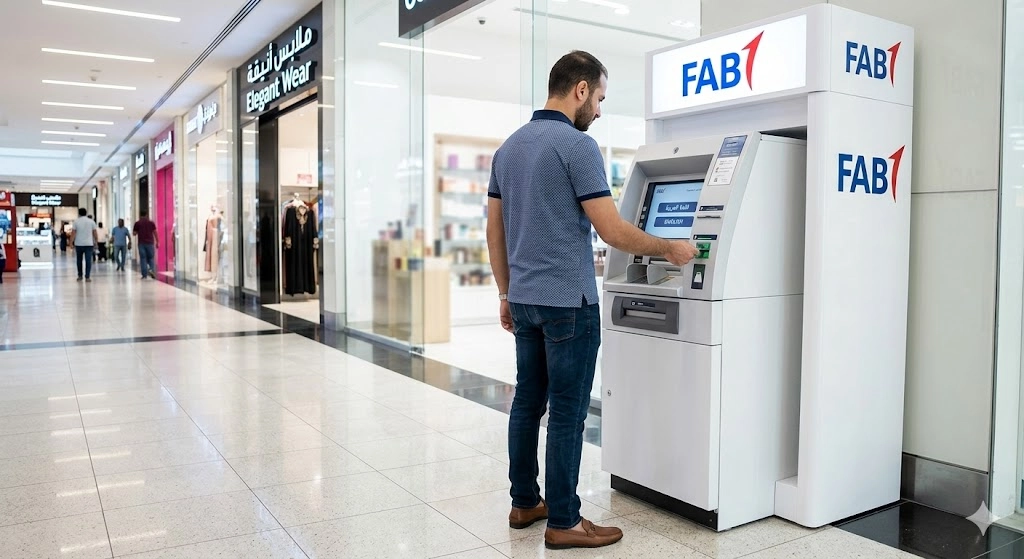
Over 400 FAB ATMs are spread across the UAE. They work 24 hours a day, 7 days a week, and they do not need internet on your side.
Step-by-Step ATM Balance Inquiry
- Search for a FAB ATM near me using the locator by searching on Google Maps.
- Insert your card with the chip facing upward and forward
- Wait for the welcome screen to appear
- Select your language (English or Arabic)
- Enter your 4-digit PIN carefully and cover the keypad with your other hand
- Select “Balance Inquiry” from the main menu
- If you hold multiple accounts on the same card, select the account you want to check
- Your available balance and total balance appear on the screen
- Choose to print a receipt or press Cancel to exit
- Wait for your card to be returned before walking away
Mini-Statement vs Balance Inquiry
Balance Inquiry shows you your current figures only. That is it. Two numbers on screen.
A Mini-Statement gives you your balance plus the last 5 to 10 transactions printed on a receipt. If your salary just came in and you want proof for a record, or if you are trying to identify a transaction you do not recognise, print the mini-statement. It takes about 20 seconds longer but gives you something to keep.
Fees and What to Watch at Non-FAB ATMs
Checking your balance at any FAB ATM is free. If you use a non-FAB ATM through the UAE Switch network, you will likely pay AED 1 to AED 2 per balance inquiry in 2026. This is charged by the ATM operator, not FAB. It does not sound like much, but it adds up if you do it daily.
The easy fix: use the FAB ATM locator in the app before you walk out. Most petrol stations, malls, and supermarkets in the UAE have at least one FAB ATM within a short distance.
FAB SMS Banking Balance Check
No smartphone, no internet, no problem. SMS banking works on any mobile phone that can send a text message.
How to Register for SMS Banking
At a FAB ATM
- Insert your debit card and enter your PIN
- Select “SMS Banking” then “Register.”
- Confirm your mobile number on screen
- Set a 4-digit SMS PIN (this is separate from your ATM PIN)
- Registration is instant
Call customer care
- Dial 600 52 5500 (UAE) or +971 2 681 1511 (international)
- Request SMS banking registration
- Provide your account number, Emirates ID, and mobile number
- Choose a 4-digit SMS PIN over the phone
Visit a branch
- Bring your Emirates ID and debit card
- Ask the teller to register you for SMS banking
- Sign the registration form and choose your SMS PIN
How to Check Balance by SMS
Once registered:
- Open your SMS app
- Create a new message
- To: 2121
- Message: BAL followed by a space and the last 4 digits of your account number (example: BAL 1234)
- Send the message
- Within 30 to 60 seconds, you get a reply showing your available balance, ledger balance, and last transaction.
Why Your SMS Might Not Go Through
- Sending from a mobile number that is not registered with FAB
- Missing the space between BAL and the digits (BAL1234 will not work; it must be BAL 1234)
- Insufficient airtime or no SMS credits
- Poor network signal in your area
- Wrong account digits at the end
If you get no reply within 2 minutes, resend once. If still nothing, try from a stronger signal area or register your number via the ATM first.
The Ratibi card is where a lot of people get confused, because it looks like a regular bank card but works differently behind the scenes.
What the Ratibi Card Is and Who Uses It
The Ratibi card is a prepaid salary card issued by FAB through its Magnati payment arm. Employers in the UAE who pay workers through the Wage Protection System (WPS) often use Ratibi cards to transfer wages. The card looks and feels like a debit card. You can use it at ATMs, shops, and online. But there is no bank account behind it in the traditional sense. It holds a stored balance, not a bank ledger balance.
This matters because many regular FAB balance check methods do not apply to Ratibi cards. You cannot log into FAB online banking as a standard customer. The right tools are the PPC Magnati portal, the Payit app, and ATMs.
Check the Ratibi Card page for full details on how the card works.
Ratibi Balance Check via ATM
Your Ratibi card works at any FAB ATM like a standard debit card:
- Insert the Ratibi card at any FAB ATM
- Enter your 4-digit PIN
- Select “Balance Inquiry”
- Your balance appears on screen
- Print a receipt if needed
Ratibi Balance Check via PPC Magnati Portal
- Go to the official PPC Magnati prepaid card inquiry portal
- Enter the last 4 digits of your card number
- Enter your Card ID (the long number printed on the front of your card)
- Complete the captcha verification
- Click “Go”
- Your current balance, last 5 to 10 transactions, and card status (active, expired, or blocked) appear immediately.
No login required. No Emirates ID needed. Works on any browser on any device. The portal uses SSL encryption, so your card details are protected.
Ratibi Balance Check via Payit App
Payit is FAB’s official digital wallet app. Ratibi cardholders can link their card and check their balance through it.
- Download the Payit app (make sure it is the official version from the App Store or Play Store)
- Open the app and tap “Get Started.”
- Select the option for Ratibi cardholders.
- Enter your card details and verify with OTP
- Set a 4-digit PIN
- Tap “Wallet Balance” on the home screen to see your current balance
Once linked, the Payit app also lets you pay bills, send money internationally, and receive salary deposits directly. For Ratibi card users, this is the most complete option available.
FAB Prepaid Card Balance Check
FAB issues other prepaid cards beyond Ratibi, including gift cards, travel cards, and government-issued prepaid instruments. These also use the Magnati system.
How the Magnati Portal Works for Prepaid Cards
The process is the same as for Ratibi cards. Visit the PPC Magnati portal, enter your last 4 card digits and Card ID, and click Go. The portal also shows reload options for reloadable prepaid cards. If your card supports reloading, you will see direct links to add funds via Payit or at a FAB branch.
For FAB prepaid cards enquiry, the Magnati portal and ATMs are the only reliable options. These cards cannot be checked through the standard FAB online banking portal.
Prepaid Card Balance vs Bank Account Balance
A bank account balance sits in a ledger managed by the bank. A prepaid card balance is stored value on the card itself, managed by Magnati. They are completely separate systems.
This is why a prepaid card shows a different type of balance inquiry screen at an ATM, and why it cannot be viewed in regular FAB online banking. If you are not sure which type of card you hold, check the front. Ratibi and prepaid cards will have a card ID printed below the card number. Regular FAB debit cards will not.
FAB Credit Card Balance Check
A credit card balance check tells you two things: how much credit you have left to spend, and how much you currently owe. Both matter.
Available Credit vs Outstanding Balance
Your available credit goes down every time you make a purchase. Your outstanding balance goes up. When you make a payment, available credit goes up again. The relationship between these two numbers tells you where you stand on your credit limit.
Your minimum due is the smallest amount FAB will accept to keep your account in good standing. Your total due is the full outstanding balance. Paying the minimum keeps you compliant. Paying the total avoids interest charges. Both figures appear in the app and online banking.
How to Check Credit Card Balance
Via the FAB Mobile App:
- Log in to the app
- Tap “Credit Cards” on the home screen or in the menu
- Select your card
- Available credit and outstanding balance appear together on the card screen
Via FAB Online Banking:
- Log in to the FAB website
- Navigate to “Credit Cards”
- Select the specific card
- All figures, including minimum due, total due, and available credit, are displayed
Via ATM:
- Insert your FAB credit card at any FAB ATM
- Enter your PIN
- Select “Balance Inquiry”
- Choose “Credit Card Account” if prompted
- Your available credit and outstanding balance appear on screen
Via Phone Banking:
- Call 600 52 5500
- Follow IVR prompts for credit card options
- Provide your card number and verification details
- The automated system reads out your balance
FAB Phone Banking Balance Check
Phone banking gets overlooked, but it is genuinely useful when your app is not working or you need help from a real person.
IVR Automated System
The IVR (Interactive Voice Response) system is the automated voice menu you reach when you call FAB. It is available 24/7 and handles balance checks without any wait time.
- Call 600 52 5500 (UAE) or +971 2 681 1511 (international)
- Press 1 for English or 2 for Arabic
- Select “Account Services” from the main menu
- Select “Balance Inquiry”
- Enter your account number and date of birth when prompted
- Your balance is read out to you immediately
The whole process takes about 2 to 3 minutes.
Speaking to a Live Agent
Press 0 at any point in the IVR menu to reach a customer service representative. Live agents can handle more complex requests and are better for situations where something seems wrong with your account.
The agent will ask for your account number or card number, your full name as registered with FAB, Emirates ID number, and date of birth. You do not need to provide all of these every call. Usually 2 to 3 verification details are enough.
If you call between 9 and 11 AM or between 1 and 3 PM on a Sunday to Thursday, expect longer wait times. Early mornings and late evenings tend to be faster.

FAB Balance Check Without Internet
Internet goes down. Data runs out. Some phones are older and do not support apps well. You still need to check your balance. Here are the options you can choose from according to your convenience.
SMS Method
Send BAL followed by a space and your last 4 account digits to 2121. No internet needed, just a mobile signal. Works on any phone. Full steps are in the SMS Banking section above.
ATM Balance Check
Insert your card, enter your PIN, select Balance Inquiry. Done in under a minute. No internet on your end at all. The ATM connects directly through the bank’s own network. Over 400 FAB ATMs across the UAE are available 24/7.
Phone Banking IVR
Call 600 52 5500. The IVR system reads your balance over the phone after you verify your details. No internet, no app, no smartphone required. Works on any phone that can make a call.
Branch Visit as a Last Resort
Branch visits work, but they are slow. FAB branches are open Sunday to Thursday, 8 AM to 2 PM. Bring your Emirates ID and your card or account number. The teller gives you your balance and can print a mini-statement on request.
Treat a branch visit as a last resort for balance checks. It is much better used for situations that actually require face-to-face help, like replacing a card, updating your Emirates ID details, or opening a new account.
FAB Balance Check From Outside the UAE
Are you moving abroad for a few months? Your FAB account does not stop while you are away. If you are worried about your FAB bank balance check online, here are some ways that still work internationally.
Using the Mobile App Abroad
The FAB Mobile app works on any internet connection anywhere in the world. As long as your phone has data or a WiFi connection, you can log in and check your balance exactly as you would in the UAE. No additional setup required.
Online Banking From Outside the UAE
The FAB online banking portal is accessible from any country via any browser. Log in with your username and password. The OTP for verification will go to your registered UAE mobile number. Make sure your UAE SIM card is active with international roaming, or that you have call forwarding set up to receive the OTP.
International Phone Banking
Call +971 2 681 1511 from any country. Standard international call rates apply depending on your phone plan. The IVR system and live agents both work for international callers.
SMS Banking Internationally
SMS banking still works when you are abroad if your UAE number is on international roaming. Send the BAL message to 2121 as normal. International SMS rates from your mobile provider will apply on top of the standard message. Check with your carrier what those rates are before relying on this method from abroad.
FAB Salary Check: Confirming Your Deposit
Payday comes, and your account shows the same number as before. It happens to all of us at some point. Before assuming something is wrong, here is how to check properly.
How to Verify Salary Credit Date and Amount
- Via the app: Your most recent credit transaction appears on the home screen. Tap “Accounts” then select your salary account. The transaction list shows every credit and debit with date and amount. Filter by date range to find your specific pay period.
- Via SMS alert: If you have SMS banking registered, a message arrives automatically every time your account receives a credit. Your salary credit will appear as an incoming transaction from your employer or WPS.
- Via online banking: Log in, click “Accounts,” select your salary account, and filter transactions by the expected pay date. The full transaction description shows the source of the payment.
What to Do If Your Salary Is Not in Your Account
First, do not panic. WPS processing takes 1 to 2 business days from when your employer submits the payroll. If the submission happened on a Thursday, the money may not land until Sunday or Monday due to the UAE weekend.
Check with your HR or payroll team that the salary was actually submitted on time. Ask for the WPS transaction reference number. Confirming the transaction with your HR should always be your first priority. Once you have that, call FAB and provide the reference. FAB can trace the payment and tell you exactly where it is in the process.
Public holidays also delay WPS processing. If a holiday falls on your pay date, expect a 1 to 2-day delay.
FAB Balance Not Updating: Causes and Fixes
Your balance looks frozen. Or it shows a number that does not match what you expected after a transaction. There are a few common reasons for this.
Pending Transactions and Holds Reducing Available Balance
Any time you make a transaction that is not yet settled, it shows as a hold or pending debit. Hotel check-ins, fuel stations, and certain online purchases all place pre-authorisation holds on your card. These reduce your available balance immediately but do not change your ledger balance until they settle.
Holds typically release within 1 to 3 business days. If a hold has not released after 5 business days, contact FAB with details of the merchant and transaction date.
Emirates ID Expiry Causing Account Freeze
This one catches people off guard. When your Emirates ID expires, FAB may temporarily restrict access to your account or stop balance updates until you update your ID details. This is a regulatory requirement, not a technical glitch.
Fix: Update your Emirates ID through the FAB Mobile app (go to Profile → Update Documents) or visit any FAB branch with your renewed ID. Do this before your ID expires to avoid disruption. Check the FAB login and registration section for steps on updating your profile documents.
App and System Issues
The app shows an old balance for a few reasons: the app cache has not refreshed, the server is under maintenance, or a recent transaction is still processing.
- Log out and back in to force a refresh
- Clear the app cache
- Update the app if an update is available
- Check if Friday night maintenance is affecting service
When to Call FAB
- Your balance has not changed after 24 hours, and no pending transactions explain it
- Your salary has not arrived 3 business days after the expected date, and HR confirmed submission
- A transaction you did not make appears on your account
- Your card was declined despite having sufficient balance
FAB Balance Check Scams to Avoid in 2026
Fraudsters know people search for bank balance check methods. Some of them build fake websites and WhatsApp accounts that look real. There are plenty of such websites present on the internet. Here is what you need to know.
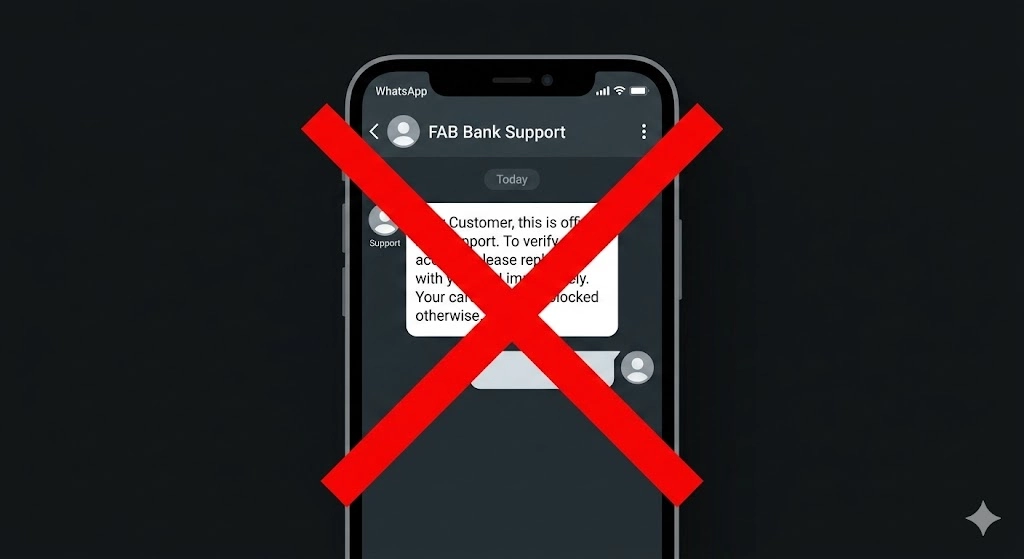
FAB Has No WhatsApp Banking
FAB does not offer WhatsApp banking. No official WhatsApp number exists for checking your FAB bank balance, checking your Ratibi card balance, or doing any banking transaction. There is one WhatsApp number associated with FAB (+1 704 771 0476) and it is only for reporting fraud, not for customer banking.
If you receive a WhatsApp message claiming to be FAB customer support offering balance checks or salary information, that message is fraudulent. Do not share any card details, account numbers, or PINs through WhatsApp.
Fake FAB Portals: How to Identify Them
Several unofficial websites imitate FAB’s balance check portal. They are designed to steal your card ID and account details.
- The only official prepaid card portal is the PPC Magnati website
- Check that the URL starts with https and that the domain is spelled correctly
- Look for a padlock icon in your browser address bar before entering any card information
- If a site asks for your full PIN or password in addition to card details, close it immediately
What FAB Will Never Ask You
FAB will never ask for your full ATM PIN, your online banking password, or your SMS OTP through a phone call, text message, or email. These are your private security codes. Any contact asking for them is a scam.
If you receive such a call or message, hang up immediately and report it to FAB at
600 52 5500.
FAB iSave and Zero Balance Account: Balance Rules
Not all FAB accounts have the same balance requirements. This affects how your balance check results look and what penalties apply.
Minimum Balance for Standard FAB Savings Accounts
Standard FAB personal savings accounts require a minimum balance of AED 3,000. If your balance drops below this amount at any point during the month, FAB charges a monthly fee. The exact fee amount is listed in your account terms. When you check your balance and see a deduction you did not make, this charge is often the reason.
iSave Account and Elite Account
The FAB zero balance account operates differently. iSave is a goal-based savings account with a higher interest rate than a standard savings account. It does not require a minimum balance. Neither does the FAB Elite account, which comes with additional banking benefits like priority service and higher transfer limits.
Digital Salary Account (Payit Plus)
The Payit Plus digital salary account has no minimum balance requirement at all. Salary deposits go directly into the digital wallet. There are no monthly account fees and no penalty for a low balance.
Which FAB Balance Check Method Is Right for You
Your Situation | Best Method | Why |
Regular FAB account, smartphone available | FAB Mobile App | Instant balance, all accounts in one place, free |
Regular FAB account, on a laptop | FAB Online Banking | Larger screen, easy to download statements |
Ratibi or WPS salary card holder | PPC Magnati Portal or Payit App | These are the only digital options for prepaid cards |
No internet or basic phone only | SMS Banking (send BAL to 2121) | Works without data, works on any phone |
No internet, no SMS | FAB ATM | Reliable offline option, 400+ ATMs across UAE |
Prefer speaking to someone | Phone Banking: IVR or live agent | 24/7 by phone, no app needed |
Checking from outside the UAE | FAB Mobile App or Online Banking | Both work globally with internet |
Need a printed record | FAB ATM (mini-statement) or Branch | Physical receipt available |
Credit card balance | FAB Mobile App or Online Banking | Shows available credit vs outstanding separately |
No tech comfort at all | FAB Branch (Sun–Thu, 8AM–2PM) | Face-to-face help, full service |
Frequently Asked Questions
How do I check FAB balance without internet?
You have three options: send an SMS, use any FAB ATM with your card and PIN, or call 600 52 5500 and use the IVR system to check your balance by phone.
What is the SMS code for FAB balance check?
Send the message BAL followed by a space and the last 4 digits of your account number to the number 2121. Example: BAL 1234. You get a reply within 30 to 60 seconds. You must be registered for SMS banking first.
Why is my FAB salary not showing in my account?
WPS salary payments take 1 to 2 business days to process after your employer submits payroll. Weekends and public holidays add to this delay. Check with your HR team that the salary was actually submitted.
Is there a fee for the FAB ATM balance check?
Balance checks at FAB ATMs are always free. If you use a non-FAB ATM through the UAE Switch network, you may pay AED 1 to AED 2 per inquiry. The fee is charged by the ATM operator.
How do I check my Ratibi card balance?
First, use the PPC Magnati prepaid card portal online: enter your last 4 card digits and Card ID to see your balance instantly. Second, download the Payit app and link your Ratibi card. Third, insert your Ratibi card at any FAB ATM and select Balance Inquiry.
Can I check my FAB balance from outside the UAE?
Yes. The FAB Mobile app works on any international internet connection. The online banking portal also works abroad. For phone banking, call +971 2 681 1511 from any country. SMS banking works internationally if your UAE number is on roaming.
What is the difference between the available balance and the ledger balance?
Your available balance is what you can spend right now after pending transactions and holds are deducted. Your ledger balance is your total account balance before those deductions.
How do I check my FAB credit card balance?
Log in to the FAB Mobile app and tap “Credit Cards.” Your available credit and outstanding balance both appear. The same information is visible through online banking under the Credit Cards section.
What happens to my FAB account if my Emirates ID expires?
FAB may temporarily restrict certain account functions when your Emirates ID expires. This is a regulatory requirement. Update your Emirates ID details through the FAB Mobile app under Profile, or visit any FAB branch with your renewed ID.
What is FAB's SWIFT code for international transfers?
The official SWIFT code for First Abu Dhabi Bank is NBADAEAAXXX. You need this when receiving international payments or sending a wire transfer from abroad to your FAB account.